
Instructor Led Course : Snowflake Data Cloud/SnowPro Core (40 Hours)
Instructor-Led Course: Snowflake Data Cloud / SnowPro Core (40 Hours) This 40-hour instructor-led training program is designed to help data professionals build strong expertise in the Snowflake Data Cloud and prepare for the SnowPro Core Certification. The course blends theory, …
Overview
Instructor-Led Course: Snowflake Data Cloud / SnowPro Core (40 Hours)
This 40-hour instructor-led training program is designed to help data professionals build strong expertise in the Snowflake Data Cloud and prepare for the SnowPro Core Certification. The course blends theory, hands-on labs, and real-world scenarios to ensure learners gain both conceptual knowledge and practical skills to excel in cloud data warehousing.
Key Learning Outcomes
-
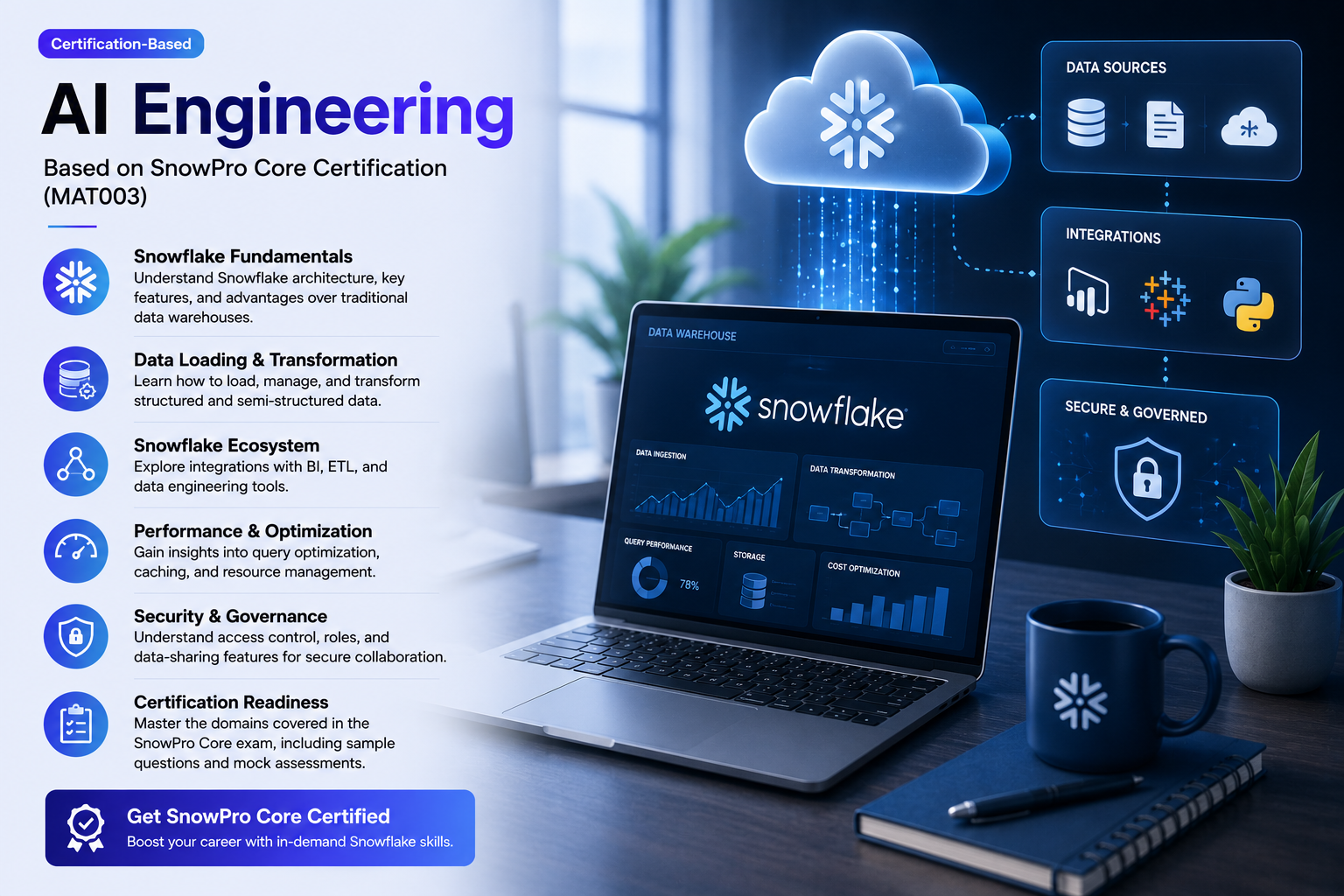
Snowflake Fundamentals: Understand Snowflake architecture, key features, and advantages over traditional data warehouses.
-
Data Loading & Transformation: Learn how to load, manage, and transform structured and semi-structured data.
-
Snowflake Ecosystem: Explore integrations with BI, ETL, and data engineering tools.
-
Performance & Optimization: Gain insights into query optimization, caching, and resource management.
-
Security & Governance: Understand access control, roles, and data-sharing features for secure collaboration.
-
Certification Readiness: Master the domains covered in the SnowPro Core exam, including sample questions and mock assessments.
Training Methodology
-
Interactive Lectures: Live sessions with experienced Snowflake-certified instructors.
-
Hands-On Labs: Practical exercises in a real Snowflake environment.
-
Case Studies & Use Cases: Learn how leading enterprises implement Snowflake for analytics and AI-driven decision-making.
-
Exam Preparation Support: Dedicated sessions for practice exams, Q&A, and guidance on exam strategies.
Curriculum
Curriculum
- 8 Sections
- 55 Lessons
- 150 Days
- Module 1 :Welcome to Snowflake/Introduction to Cloud Data Warehousing7
- Module 2 :Getting Started with Snowflake , Snowflake UserInterface , Data Loading to Snowflake7
- Module 3 :Mastering Snowflake SQL, Secure Data Sharing and Collaboration6
- Module 4 :Snowpark, Setting Up the Environment, Basic Operations and Writing Code in Snowpark ,Optimizing Performance15
- 4.1Introduction to Snowpark
- 4.2Setting Up the Environment
- 4.3Setting Up the Environment For Python
- 4.4Setting Up the Environment For Java
- 4.5Basic Operations in Snowpark – Creating a Session
- 4.6Basic Operations in Snowpark – Creating a Session
- 4.7Basic Operations in Snowpark – Working with DataFrames
- 4.8Basic Operations in Snowpark – Executing Actions:
- 4.9Writing Code in Snowpark – User-Defined Functions (UDFs)
- 4.10Writing Code in Snowpark – Stored Procedures
- 4.11Writing Code in Snowpark – Using Python Worksheets in Snowsight
- 4.12Optimizing Performance
- 4.13Best Practices
- 4.14Hands – On
- 4.15Quiz/SnowPro Core Certification Program/Module 45 Questions
- Module 5:Optimizing Performance, Deep Dive into Clustering Keys and Micro-Partitioning , Strategies for Query Performance Tuning, Managing Resources and Scaling Efficiently10
- 5.1Optimizing Performance
- 5.2Deep Dive into Clustering Keys and Micro-Partitioning
- 5.3Strategies for Query Performance Tuning
- 5.4Caching in Snowflake
- 5.5Snowflake Account Usage Views (Performance Metrics)
- 5.6Warehouse Load Monitoring
- 5.7Resource Management & Scaling Strategies
- 5.8Managing Cost per Query
- 5.9Hands – On
- 5.10SnowPro Core Certification Program/Module 55 Questions
- Module 6 :Unlocking Advanced Features, Time Travel & Recovery, Data Security, and Role-Based Access Control (RBAC)11
- 6.1Unlocking Advanced Features in Snowflake
- 6.2Streams in Snowflake
- 6.3Introduction to Tasks
- 6.4Altering Tasks
- 6.5Cron Scheduler in Tasks
- 6.6Time Travel and Data Recovery Strategies
- 6.7Data Security and Governance
- 6.8Implementing Robust Role-Based Access Control (RBAC)
- 6.9Best Practices
- 6.10Hands – On
- 6.11SnowPro Core Certification Program/Module 65 Questions
- Module 7Automation and Scripting Using Snowflake , Tasks and Streams for Automation6
- Project0
Instructor

You May Like


Build an End-to-End AI Web Application
Detailed Study Notes — a project-based curriculum covering the design, build, deployment, and scaling of a production-ready AI web application: frontend, backend, database design,...

AI Training for Project Managers & Product Owners
This course gives non-technical stakeholders — Project Managers, Product Owners, and Consultants — a working understanding of AI, Machine Learning, and Generative AI, and...
AI Workflow Automation with n8n
Build Production-Ready AI Agents Course Positioning This course teaches how to design, build, deploy, and scale production-ready AI automation systems using n8n, OpenAI, Anthropic,...

Multi-Agent Systems with CrewAI & LangGraph
Designing, Building, and Scaling Collaborative AI Agent Systems

Enterprise-Grade Agentic AI & Capstone
Architecture, Deployment, Governance, and Multi-Agent Systems for Production AI
Course Features
- Lectures 55
- Quizzes 7
- Duration 150 days
- Skill level All levels
- Language English
- Students 7
- Certificate No
- Assessments Yes